

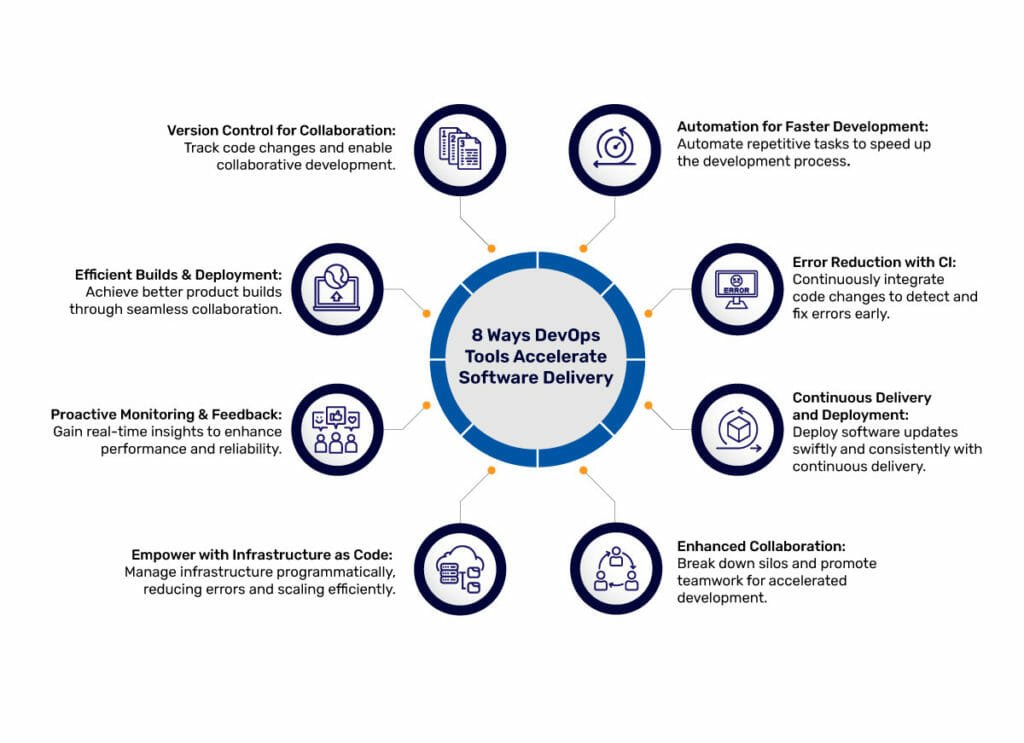
Automation tools reduce content update time by automating workflows, templates, and scheduled publishing.
I have led content operations and built systems that make frequent updates fast, accurate, and repeatable. This article explains how automation tools speed up content updates with clear steps, real-world examples, and practical advice you can use today. You will learn which automation features matter, how to implement them, common pitfalls, and how to measure success. Read on to get actionable guidance rooted in experience and industry best practices.

Why automation matters for content updates
Organizations must update content faster than ever. Search trends shift, regulations change, and customers expect fresh information. Knowing how automation tools speed up content updates helps teams stay current while reducing human error.
Automation reduces manual steps. It routes work to the right people and applies consistent templates. When you understand how automation tools speed up content updates, you can cut update cycles from days to hours.
Benefits include:
- Faster publishing with fewer approval delays.
- Fewer content errors through standardized templates.
- Better tracking of changes and version history.
- Consistent SEO and metadata application across pages.
I’ve seen teams move from weekly bulk edits to continuous small updates after adopting automation tools. The workflow became leaner, and traffic recovered faster after content refreshes.

Source: youtube.com
Key automation features that speed updates
Automation is a set of capabilities. Each feature speeds content updates in a specific way. Here are the core features you should prioritize when thinking about how automation tools speed up content updates.
Content templates and components
- Use modular content blocks to update only what changes.
- Templates ensure style and SEO fields are filled automatically.
- This reduces repetitive formatting tasks.
Workflows and approvals
- Automated routing sends drafts to the right reviewers.
- Parallel approvals cut total review time.
- Notifications and deadlines keep work on schedule.
Scheduled publishing and versioning
- Schedule updates for low-traffic windows.
- Version controls let you revert mistakes instantly.
- Automated rollbacks reduce downtime.
Automated SEO and metadata updates
- Tools can auto-fill meta titles and descriptions using templates.
- Bulk edits to tags and structured data speed large updates.
- This is a major way how automation tools speed up content updates at scale.
API-driven content and integrations
– APIs let content sync across platforms instantly.
- Integrations with analytics feed data into update triggers.
- Use webhooks to automate downstream tasks like cache purges.
Content testing and validation
- Automated checks catch broken links, missing alt text, and schema errors.
- Validation scripts enforce legal or compliance language.
- Automated QA prevents rework and speeds final approvals.
Each feature reduces hands-on time. Combine them and you will see how automation tools speed up content updates across the content lifecycle.

Source: traceparts.com
Implementing automation: a step-by-step plan
Start small and measure. My teams adopted a phased approach that worked well. Below is a practical plan to show you how automation tools speed up content updates in real projects.
- Audit current processes
- Map each step from draft to publish.
- Note bottlenecks and repetitive tasks.
- Identify quick wins
- Choose tasks with high volume and low complexity.
- Examples: meta tags, image alt text, and template swaps.
- Select tools and integrations
- Prioritize tools that fit your CMS and tech stack.
- Prefer options with open APIs for future automation.
- Build templates and modular blocks
- Create standard components for headings, CTAs, and meta fields.
- Train authors on using components.
- Automate approvals and notifications
- Configure routing rules based on content type.
- Add automated reminders and SLAs.
- Create validation scripts
- Automate checks for required fields and broken assets.
- Integrate tests into the publishing pipeline.
- Pilot and collect metrics
- Run a pilot on a content subset.
- Measure time saved, error rates, and traffic impact.
- Scale and iterate
- Expand automation scope in waves.
- Use feedback loops to refine templates and rules.
This step-by-step approach shows exactly how automation tools speed up content updates. Start with changes that give measurable time savings, then scale.

Source: go-globe.com
Monitoring, metrics, and ROI
Track results to prove impact. Measuring how automation tools speed up content updates helps secure budgets and leadership buy-in.
Key metrics to monitor
- Time to publish: measure from final draft to live page.
- Number of manual touchpoints per update.
- Error rate: broken links, metadata omissions, or compliance flags.
- Update frequency: how often content gets refreshed.
- Traffic and ranking changes after updates.
Calculating ROI
- Estimate hours saved per update and multiply by hourly rates.
- Factor in fewer errors and less rework.
- Consider revenue or traffic gains from faster refresh cycles.
Real-world example
- A product team reduced update time from 48 hours to 6 hours.
- Time saved equaled two full-time equivalents.
- Search visibility improved by 15% after frequent, automated updates.
Use dashboards and alerts. Automated reporting makes it clear how automation tools speed up content updates and where to invest next.

Source: connectsimpli.com
Common pitfalls and how to avoid them
Automation can backfire if done poorly. Learn from mistakes I’ve made to ensure your rollouts succeed.
Over-automation
- Avoid automating everything at once.
- Risk: loss of human judgment for nuanced updates.
Poorly designed templates
- Templates that are inflexible create workarounds.
- Risk: authors bypass automation, causing inconsistency.
Lack of governance
- No ownership leads to outdated rules and broken automations.
- Risk: drift between content strategy and automated outputs.
Integration gaps
- Incompatible tools cause sync errors.
- Risk: stale content in downstream systems.
How to mitigate risks
- Pilot features with one team first.
- Maintain clear ownership and change logs.
- Build rollback plans and manual overrides.
These lessons explain not just that automation helps, but how to implement it wisely so that how automation tools speed up content updates becomes a reliable advantage.

Source: nandbox.com
Tools, platforms, and integrations to consider
Choosing the right stack matters. Below are tool types and integration examples that help show how automation tools speed up content updates.
Content management systems with workflow engines
- Pick a CMS that supports custom workflows and APIs.
- Look for built-in scheduling and version control.
Automation platforms and orchestration
- Use automation platforms to connect CMS, analytics, and ticketing.
- Orchestrate cross-system tasks like cache clearing after publish.
SEO and metadata automation tools
- Use tools that auto-generate meta tags from templates.
- Bulk-edit capabilities save time on large sites.
Testing and validation services
- Integrate link checkers and schema validators in CI/CD.
- Automate audits for accessibility and compliance.
Analytics and personalization integrations
- Feed performance data to trigger content refreshes.
- Use personalization engines to update content dynamically.
Selecting the right mix helps you realize the full potential of how automation tools speed up content updates. Prioritize tools that match your team size and technical maturity.

Source: magicalapi.com
Real-world examples and personal lessons
I led content automation for a mid-size SaaS company. We automated SEO meta generation and approval routing. Updates that once took a day dropped to under two hours. Traffic recovered more quickly after launching refreshed pages.
Lessons learned from that project:
- Start with the content that moves metrics.
- Keep authors in the loop to avoid resistance.
- Monitor initial runs closely to catch edge cases.
- Don’t ignore documentation; it speeds onboarding.
Another client used API-based templates to sync product copy across docs and marketing. The sync reduced contradictory language and eliminated dozens of manual edits per release.
These cases show practical ways how automation tools speed up content updates and improve content quality.

Source: testleaf.com
Frequently Asked Questions of how automation tools speed up content updates
How quickly can automation reduce my content update time?
Automation can cut update time by 50–90% depending on the tasks automated and existing bottlenecks.
Which content tasks are easiest to automate?
Meta tags, image optimization, approval routing, and template swaps are high-impact, low-complexity targets.
Do I need developers to implement automation?
You can start with low-code platforms, but APIs and integrations will need developer support for scale.
How do I measure whether automation works?
Track time-to-publish, error rates, update frequency, and traffic changes after updates to measure impact.
Will automation hurt content quality or creativity?
Proper governance and templates preserve quality while freeing writers to focus on strategy and creativity.
What is a common first automation for content teams?
Most teams start with automated meta data and scheduled publishing to see quick wins.
Can automation handle legal or compliance changes?
Yes, but include validation rules and human approvals for legal-sensitive content to ensure compliance.
Conclusion
Automation changes how teams work. When you adopt the right features, follow a phased plan, and measure results, you will see how automation tools speed up content updates, reduce errors, and free your team to focus on strategy. Start with high-impact tasks, pilot carefully, and scale based on metrics and feedback. Take one small automation step this week—automating meta tags or approval routing—and measure the time you save. Share your results or ask questions below to get tailored advice.


