


ColdFusion software is a rapid web-application platform that uses CFML to build dynamic sites.
As a seasoned web developer and platform architect, I will explain what is coldfusion software with clear, practical detail and hands-on insights. This guide covers architecture, core features, common use cases, pros and cons, migration tips, and real-world advice from my experience. If you want to understand what is coldfusion software, how it works, and whether it fits your project needs, read on for a focused, easy-to-follow walkthrough.
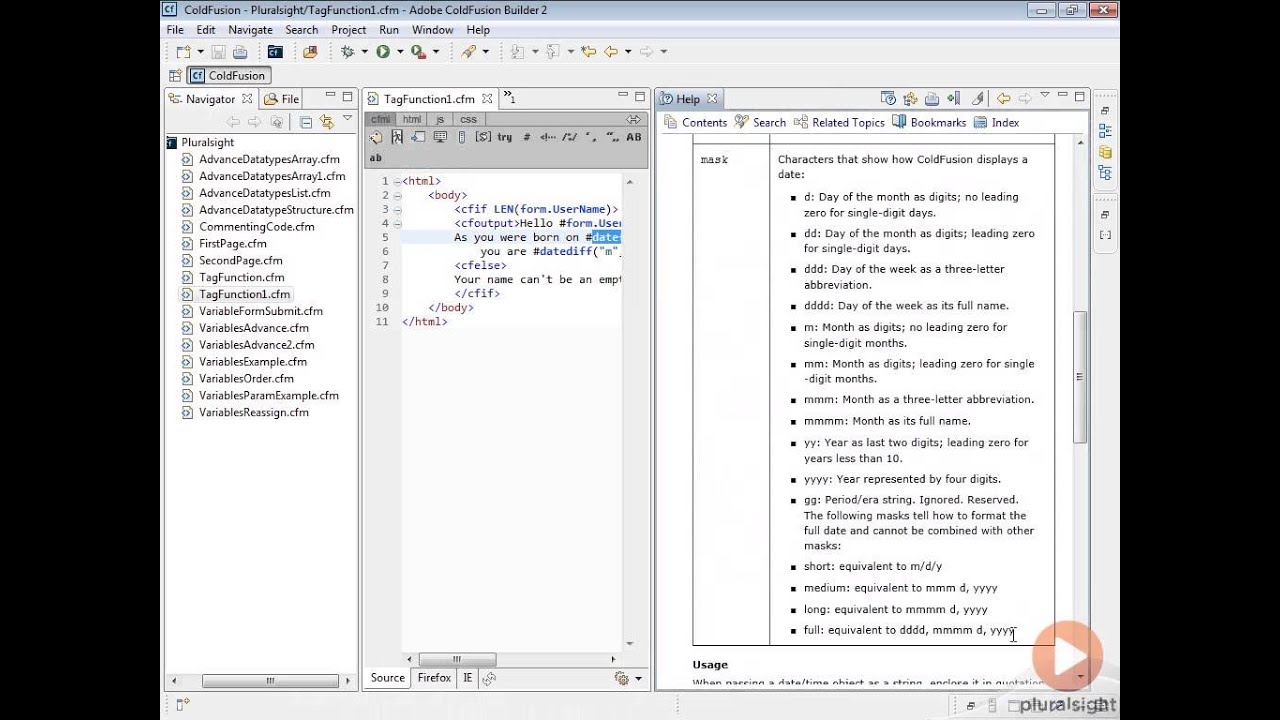
Overview of ColdFusion software
ColdFusion software is an application server and programming platform driven by the ColdFusion Markup Language (CFML). It lets developers create dynamic web pages, APIs, and server-side logic quickly. ColdFusion handles database access, session management, templating, and web services out of the box. The platform emphasizes rapid development with tag-based syntax and scripting options. For teams that need speed and fewer moving parts, ColdFusion can shorten build cycles and simplify maintenance.
What is coldfusion software in simple terms: it is a high-level tool to build and run server-side web applications fast. Use cases range from internal dashboards to public-facing e-commerce sites. The platform integrates with Java and runs on the Java Virtual Machine, which adds robustness and library access. If you ask what is coldfusion software for modern projects, the short answer is: a productive, pragmatic choice for many enterprise and mid-market web applications.
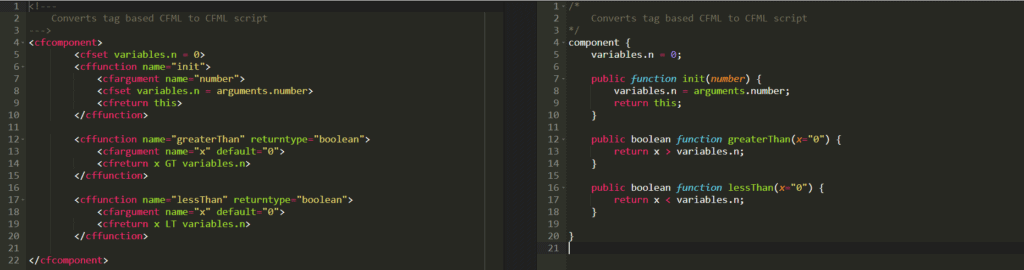
History and evolution
ColdFusion started in 1995. It was created by Allaire and later acquired by Macromedia, then Adobe. Over time, ColdFusion software evolved from a simple tag-based tool to a feature-rich platform with security, ORM, APIs, and cloud-friendly options. Recent releases added improved performance, modern security, and Java integration. Meanwhile, open-source CFML engines emerged for users who wanted alternative runtimes. Understanding this history helps explain ColdFusion’s design choices and strengths today.

Core features and components
ColdFusion software bundles features that cut boilerplate work. Key components include:
-
ColdFusion Markup Language (CFML)
A tag and script-based language for building server-side logic. CFML is concise and readable. -
ColdFusion Components (CFCs)
Reusable modules that support object-like patterns and service design. -
Built-in ORM and database tools
Simplifies database mapping and query handling. -
Application server and runtime on JVM
Leverages Java libraries and runs inside a servlet container. -
Integrated security and admin console
Offers configuration, user management, and performance tuning tools. -
API and web service support
Makes it easy to build REST and SOAP endpoints. -
Caching and session management
Native support for multiple caching strategies and session stores.
These features explain why developers ask what is coldfusion software when seeking rapid app delivery. The platform provides many ready features so projects can move from idea to production faster.

How ColdFusion works: architecture and runtime
ColdFusion software runs as a JVM-based application. The CFML engine parses templates and compiles them into Java bytecode. Requests hit a servlet layer, then the engine routes to CFML templates or CFC methods. The platform connects to data sources, handles security, and returns rendered HTML or JSON for APIs. It also supports scheduled tasks and event gateways for async workflows.
Common architectural points:
- JVM foundation enables use of Java libraries and stability.
- CFML-to-Java compilation improves runtime speed.
- Admin console and monitoring help manage resources and sessions.
- Deployments can run on-premises or in cloud containers.
Knowing how ColdFusion software works helps you plan scaling, logging, and integration. It behaves like other Java-based servers but with a higher-level developer experience.

Common use cases and industries
ColdFusion software is present in many real-world scenarios. Typical use cases include:
- Internal business dashboards and reporting portals.
- Government and public sector websites that value stability.
- E-commerce systems with rapid iteration needs.
- APIs that expose backend services quickly.
- Legacy application maintenance when existing systems use CFML.
Industries that use ColdFusion often prioritize reliability and developer efficiency. Teams with mixed Java and CFML skills find it easy to maintain. If you evaluate what is coldfusion software for your business, consider whether rapid prototyping and integrated features matter more than the availability of newer frameworks.
Advantages and limitations
Advantages of ColdFusion software:
- Fast development with concise syntax.
- Mature features for security, caching, and services.
- Strong integration with databases and Java.
- Good admin tooling and monitoring.
- Long lifecycle with enterprise support options.
Limitations to consider:
- Smaller talent pool compared to mainstream languages.
- Licensing costs for commercial editions.
- Perception of being legacy in some markets.
- Migration can be nontrivial for large CFML codebases.
When deciding what is coldfusion software for a new project, weigh speed-of-delivery and built-in features against developer availability and long-term roadmap. Often, ColdFusion is ideal for teams that already have CFML expertise or need quick results.

Getting started: installation, development, and best practices
Quick steps to begin with ColdFusion software:
-
Install the runtime
Download and run the installer for the desired ColdFusion version or use an open-source CFML engine. -
Set up a development server
Use local JVM settings, set up datasources, and enable developer mode. -
Learn CFML basics
Start with templates, CFCs, and cfquery tags. Use the admin console for configuration. -
Use version control and CI/CD
Treat CFML like code. Automate builds and tests.
Best practices to follow:
- Secure the admin console and disable debug in production.
- Use prepared statements and parameter binding for queries.
- Implement caching and session clustering for performance.
- Keep ColdFusion updated to benefit from security patches.
If you want to know what is coldfusion software in practice, the fastest way is to create a small CRUD app and deploy it. That hands-on work reveals patterns and trade-offs quickly.

Personal experience and practical tips
I used ColdFusion software on several enterprise projects. One project required rapid delivery of a reporting portal. ColdFusion let us build the UI and data access quickly. We avoided weeks of boilerplate code. Key lessons learned:
- Secure by default — lock down admin and use strong passwords.
- Log structure matters — consistent logs eased debugging.
- Test migrations incrementally — large batch moves cause surprises.
- Use CFCs for clear service boundaries.
Mistakes to avoid include leaving debug enabled in production and neglecting connection pooling. My practical tip: start with a small module and verify deployment and monitoring before migrating large systems.
Frequently Asked Questions of what is coldfusion software
What is ColdFusion software best used for?
ColdFusion software is best used for rapid web application development, internal portals, and APIs. It excels when you need integrated features and fast time to market.
Is ColdFusion software still supported?
Yes, commercial ColdFusion software is supported by the vendor, and open-source CFML engines provide community support. Support levels depend on the edition and vendor chosen.
Can ColdFusion software run on any server?
ColdFusion software runs on the Java Virtual Machine, so it runs on most servers that support Java. You can deploy it on Windows, Linux, or cloud containers.
How hard is it to learn ColdFusion software?
ColdFusion software is relatively easy to learn for developers familiar with web programming. The tag-based syntax is approachable and concise, reducing the learning curve.
Are there modern alternatives to ColdFusion software?
Yes, there are modern frameworks and open-source CFML engines that provide similar capabilities. The choice depends on team skills, licensing, and long-term strategy.
How does ColdFusion software handle databases?
ColdFusion software connects to databases using configured datasources and supports CFML query tags, ORM, and parameter binding. It simplifies common data access tasks while supporting performance tuning.
Conclusion
ColdFusion software is a pragmatic platform for building server-side web applications quickly and reliably. It combines a high-level language, Java integration, and built-in services to reduce development friction. If you need to decide whether what is coldfusion software fits your project, evaluate team expertise, speed needs, and long-term maintenance plans. Take action by prototyping a small module, testing deployment, and measuring performance. Explore community resources, try a demo install, and leave a comment to share your experience or questions.


